
Work the contacts queue处理联系人队列
Every enquiry you are still working, in one list, with the stage worked out from what has actually happened.所有还在跟进的询问集中一张清单,阶段由实际发生的事推算出来。
这篇指南的正文目前只有英文版。标题、摘要与导览已翻译;内文仍在翻译中。
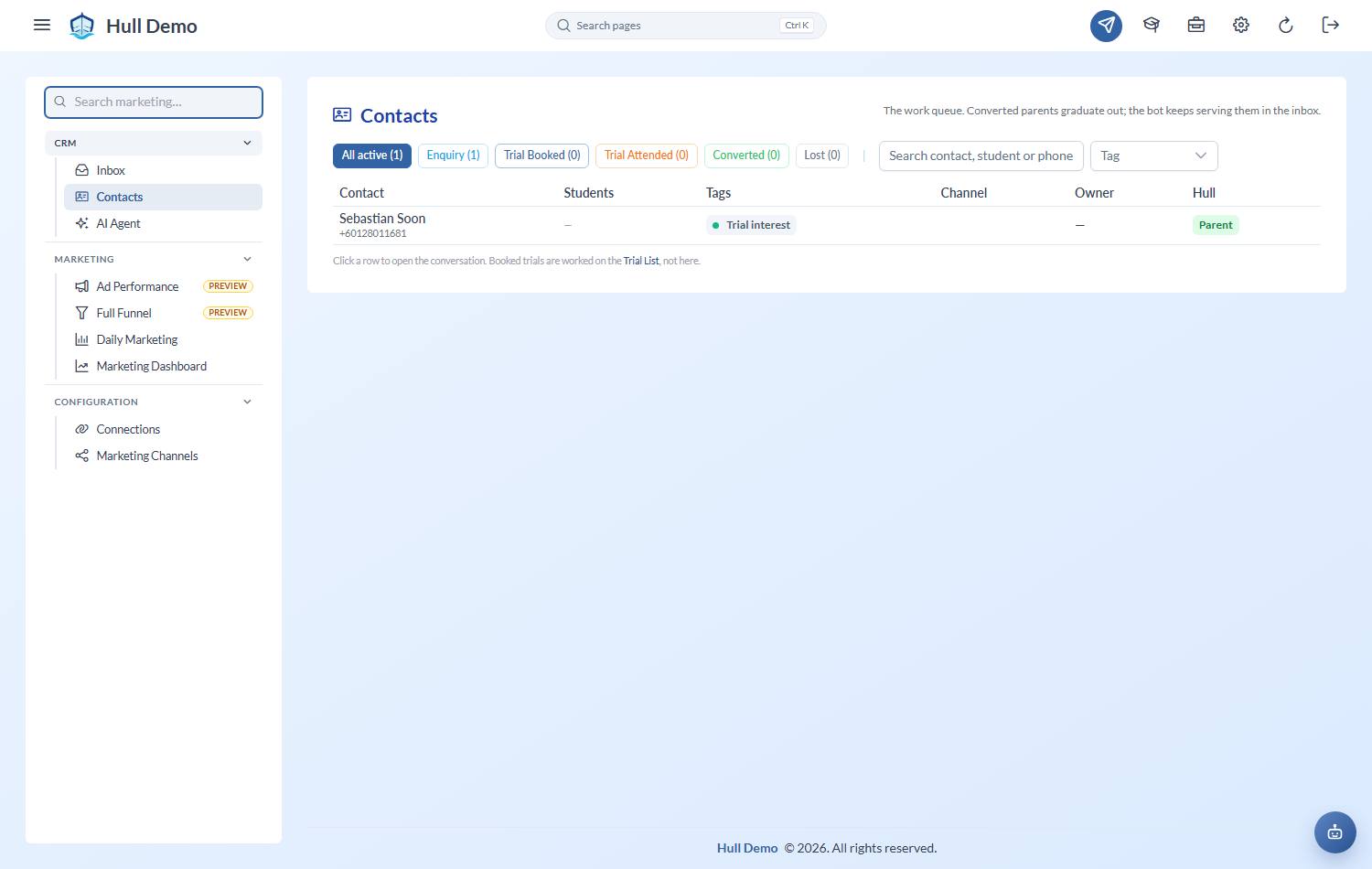
Contacts is the work queue: who has enquired and not yet decided. It is a list rather than a board, because enquiry volume turns a board into a graveyard nobody clears.
Getting there
Marketing → Contacts — the megaphone in the top bar.
The stage is worked out, not typed
A contact's stage comes from what has actually happened — whether they replied, whether a trial is booked, whether a child signed up. Nobody drags anything between columns, so the list cannot drift out of date the way a hand-maintained pipeline does.
Lost is the one judgement a person makes, because only a person knows a lead has gone cold. (The controls for it are deliberately tucked away — it is a decision, not a tidy-up.)
The stages cover the whole journey, not just the part before a sale:
| Still workable | Already converted |
|---|---|
| Enquiry · Trial booked · Trial attended · Didn't attend the trial · Following up | Active · Frozen · Stopped |
The three on the right mean the sale happened, whatever came afterwards — a family who signed up and later stopped is a converted lead, not a lost one, and counting them any other way would flatter your channel numbers.
The filter chips across the top carry live counts, and the default view is active leads only — the people still worth working.
Converted and Lost leave the queue
Once a family signs up, or a lead is marked lost, they graduate out of the default view. They are still there behind their own chip, kept for attribution: you will want to know which channel produced the families who actually paid.
A contact with no workable lead left drops out on its own — converted if a child signed up, lost otherwise.
Give a contact a name your team recognises
WhatsApp names are whatever the customer typed — "Mummy", an emoji, a shop name. Rename any contact for display; the original is kept and clearing the field restores it. A family already on your books shows as "John's parent" without anyone doing anything.
Children show inline
A contact's children appear on the row with each child's own stage. One parent enquiring about two kids is one conversation and one row, not two half-records.
Filter by branch
The branch filter works out a contact's branch from where their children actually attend. A brand-new lead has no branch yet, so it sits under Unknown (new leads) — which is exactly the pile worth working, not a mistake to file away.
Already a customer? One click to the record
A contact whose family is on your books shows a green Parent badge — click it to jump straight to the parent's full record. No badge means a lead who has not converted yet. That distinction *is* the status; there is no separate label to maintain.
Working it
- Filter to active leads — and your branch, if you work one.
- Start with anything the inbox has flagged for a human — those are waiting on you specifically.
- Open a contact to read the conversation, add tags, or jump into the thread.
- A trial-booked lead links straight to the Trial List — that workflow lives there and is not duplicated here.
Related: Work the WhatsApp inbox · Book a trial · Read the marketing dashboard.